Bring in your material
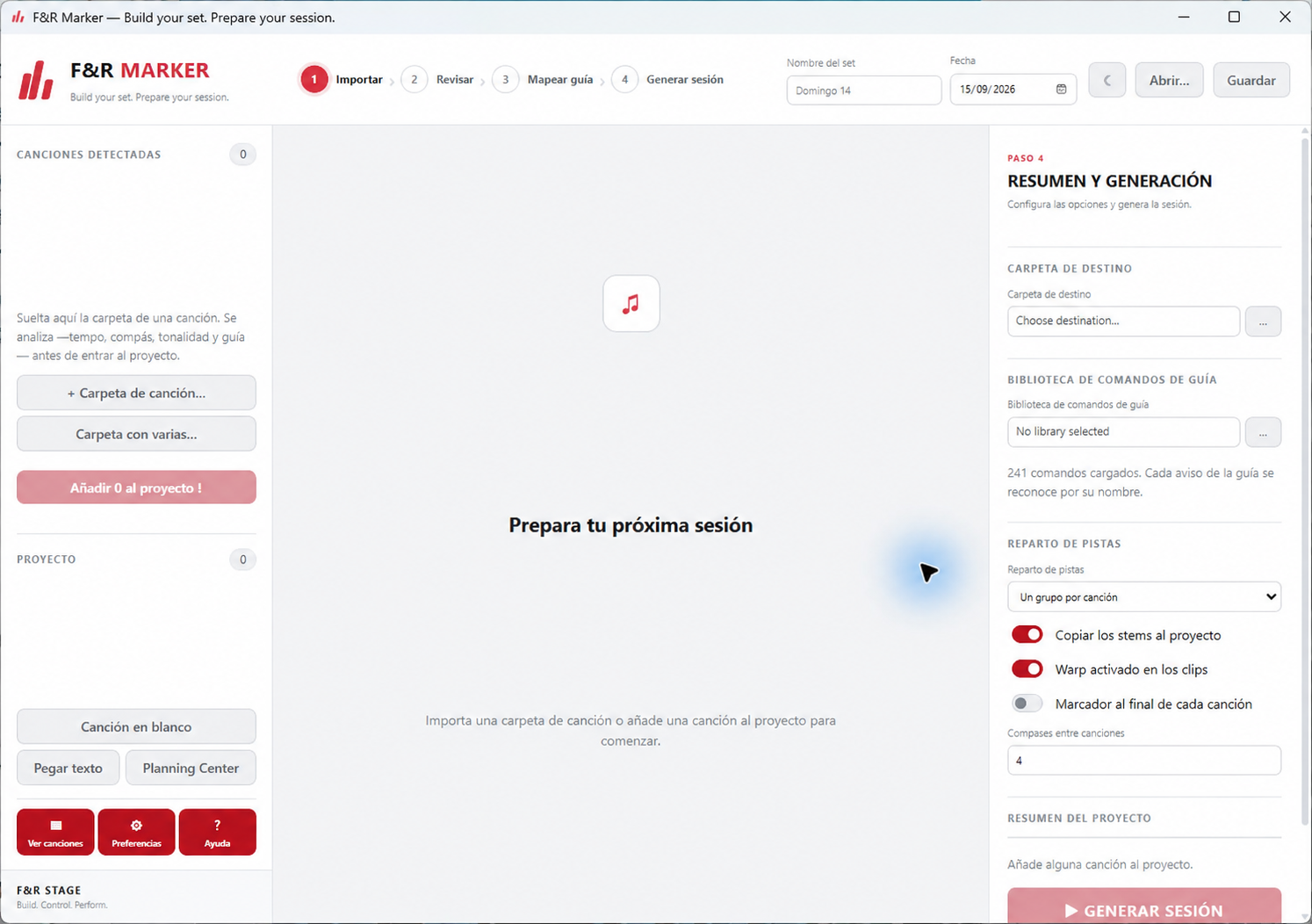
Drop in a multitrack folder, process multiple song subfolders, add a blank song, or paste a song-list line with title, key, tempo and meter.
 Stage
StageSession preparation
Build your set, review your multitrack material and create an organized Ableton Live 12 session file—without changing your existing projects.
01 / Session preparation
Turn multitrack folders and setlists into organized Ableton Live project files, ready for you to open and review.
Interface concept based on the current product workflow.
How session building works
Drop in a multitrack folder, process multiple song subfolders, add a blank song, or paste a song-list line with title, key, tempo and meter.
Marker scans supported audio stems, suggests track roles, detects tempo from a click when available, and estimates key. Review uncertain stem matches before building.
Set the order, gaps and song details. Add song and section locators, choose how tracks are routed, and selectively transpose eligible melodic stems.
Marker writes an .als project using the supplied session template. Open the result in Ableton Live to inspect and continue preparing your show.
These are two independent paid programs. Each has its own license; buying both only applies the discount shown on the pricing page.
Start to stage
Prepare songs and multitracks in F&R Marker.
Order your setlist and define song and section markers.
Write a new Ableton Live session project file.
Connect F&R Live and navigate the show remotely.
From preparation to performance
Build your session. Control your performance.